
Best Transaction Coordinator Software 2026
The verdict at a glance
The best transaction coordinator software depends on what you actually do all day. Independent TCs and self-coordinating agents who want AI to handle contract extraction and timeline building lean toward DocJacket, ListedKit, or Nekst. Established TC teams and small brokerages tend to pick Open to Close. Brokerages whose top concern is compliance and audit trails are better served by Paperless Pipeline or Dotloop — those aren’t TC tools, they’re broker tools.
| Platform | Best for | Starting price | Key strength | Key weakness |
|---|---|---|---|---|
| DocJacket | TCs and self-coordinating agents who want AI to do the prep work | $29/seat/mo, unlimited transactions | AI contract extraction, fast file open, coordination-first design | Less dashboard tooling for brokerages overseeing many agents |
| ListedKit | TCs and small teams wanting AI-positioned tooling | $14.99 per intake (first one free) | AI assistant (“Ava”) for routine TC tasks, modern UX | Newer entrant; fewer integrations than incumbents |
| Open to Close | Established TC teams and small-to-midsize brokerages | $99–$399/mo | Strong coordinator workflow with brokerage-grade reporting | Heavier setup; pricing climbs with team features |
| Paperless Pipeline | Small-to-midsize brokerages focused on compliance | $65/mo (5 deals) – $675/mo (450 deals) | Simple, reliable broker compliance and audit trail | Per-transaction fees add up; not a coordinator productivity tool |
| Dotloop | Agents and brokerages wanting e-signature + TM in one suite | $31.99/mo (individual) | Mature e-signature, broad real estate adoption | Per-transaction overhead at volume; UI shows its age |
This guide is for independent transaction coordinators evaluating software for daily use. If you’re a brokerage or team leader comparing platforms to standardize transaction operations across many agents, see our real estate transaction management software buyer’s guide instead — that’s a different category, a different buyer, and a different shortlist.
Finding the best transaction coordinator software isn’t about fancy marketing—it’s about what actually works in the trenches. After analyzing feedback from active TC Facebook groups, pricing real platforms, and testing workflows, clear favorites emerge among professionals managing 20–50+ transactions monthly.
Most TCs use one of a handful of solutions: AFrame Software and Open to Close dominate the dedicated TC market, tcDocs serves budget-conscious coordinators, ListedKit and Nekst have pushed AI innovation, while many TCs adapt Dotloop and SkySlope because that’s what their agents already use. Some still rely on Excel spreadsheets or Folio by Amitree for basic tracking.
Understanding what is a transaction coordinator and their specific workflow needs is crucial before selecting software, as TCs have fundamentally different requirements than agents or brokers.

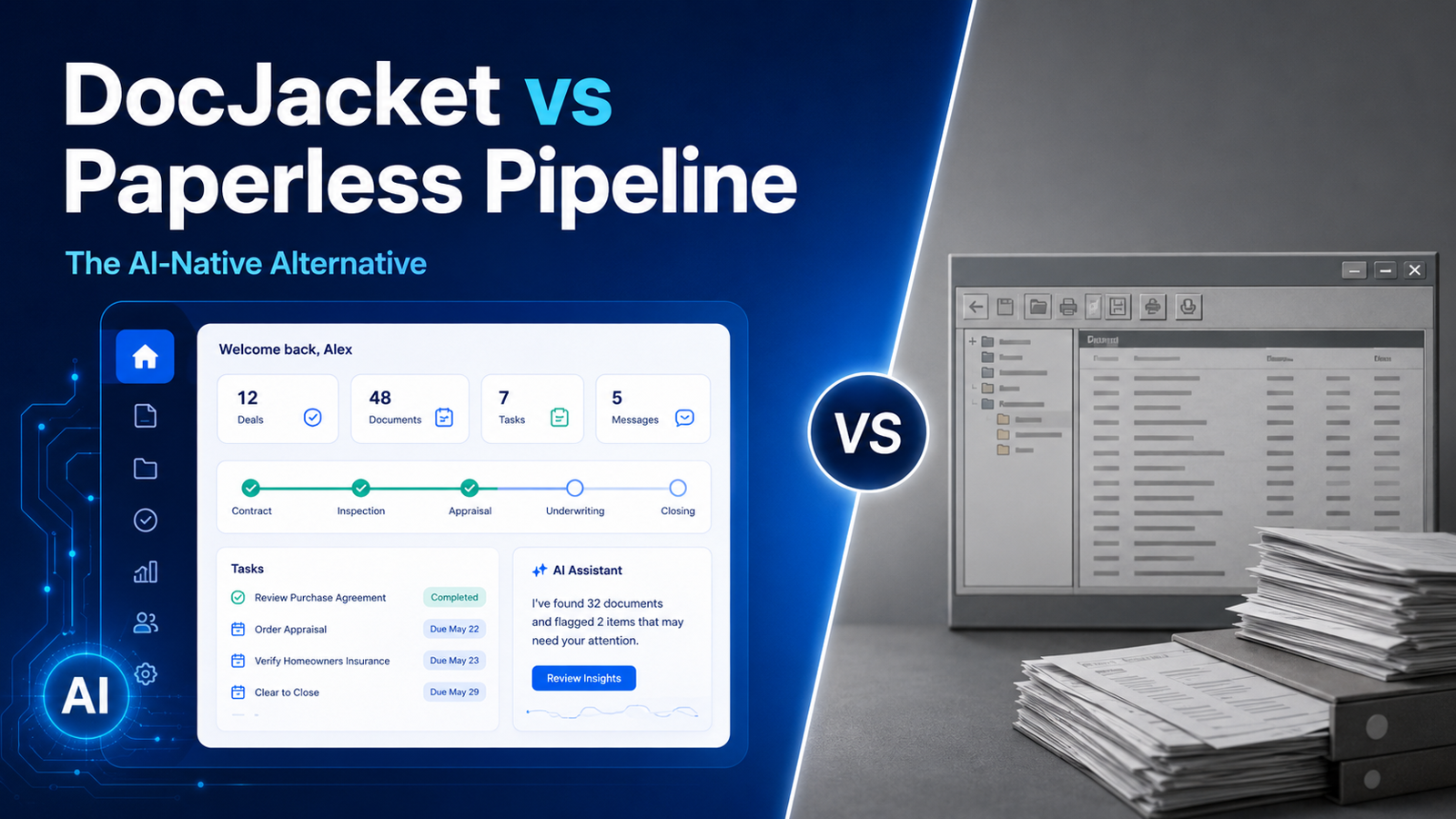
The landscape is shifting. A new wave of AI-powered platforms — including DocJacket, Nekst, and ListedKit — are designed to automate the tedious contract-to-close workflow that consumes most TC time. While established platforms focus on document storage and basic checklists, these newer tools read contracts, auto-generate timelines, and reduce the manual data entry that slows TCs down.
This guide breaks down what real transaction coordinators actually use, based on authentic feedback from TC communities, plus an in-depth look at how AI contract review and automation are transforming the coordination landscape.
Understanding the TC Software Landscape: What TCs Actually Say
The transaction coordinator software market represents a specialized subset of broader transaction management solutions. The distinction matters because professional TCs need different features than agents or brokers.
Real estate transaction management software (like Dotloop or SkySlope) serves the entire real estate ecosystem with lead management, marketing tools, client portals, and comprehensive business features. Transaction coordinator software focuses specifically on coordination workflows: deadline tracking, task automation, real estate document management, and compliance monitoring.
“Paperless Pipeline is really just for document storage… it does have checklists but AFrame is a complete game changer.”
This highlights how TCs outgrow basic solutions as their businesses scale. The latest evolution brings AI-powered transaction coordination platforms that eliminate manual data entry, automatically extract contract details, and build timelines without re-typing every date. Learn more about what is transaction coordinator software and how modern platforms are evolving.
The Current Market Reality: What TCs Actually Use

Tier 1: Professional TC-Specific Platforms
Platforms designed specifically for serious TC businesses — the established standard for coordination operations.
Tier 2: AI-Powered Innovation
Next-generation platforms leveraging artificial intelligence to automate traditionally manual TC workflows.
Tier 3: Agent Platforms Adapted for TCs
Comprehensive transaction management systems that TCs use because their agents already have them.
Tier 4: Budget and Basic Solutions
Simple tracking tools for new TCs or low-volume operations.
Tier 1: Professional TC-Specific Platforms
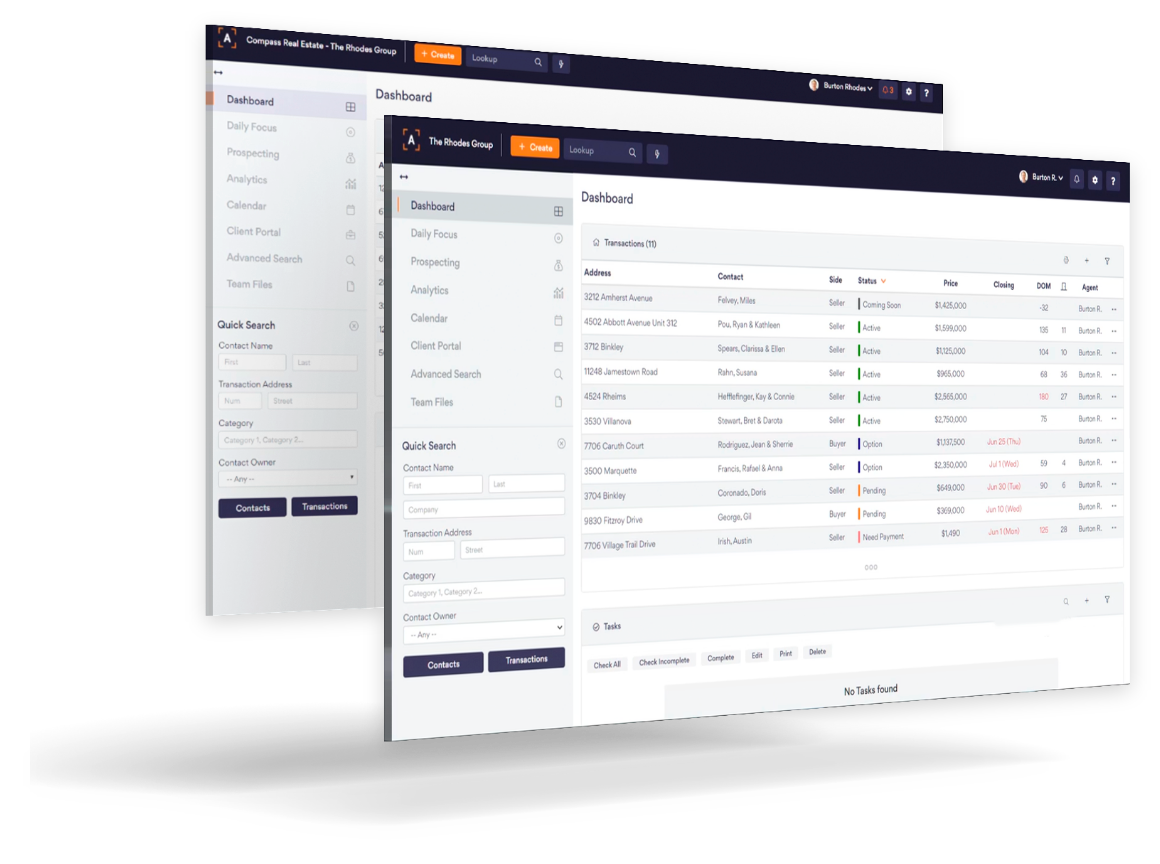
1. AFrame Software – The TC Community Favorite
Why TCs Love AFrame:
- T/CRM Hybrid: Combines transaction management with client relationship tools
- Comprehensive Features: Built specifically for TC business management
- Community Support: Strong user base among professional TCs
- Scalability: Grows with TC businesses from solo to team operations
- Professional Presentation: Polished reports that impress agents
“Both AFrame and Open To Close are powerful, but it can take a little work to set them up, but it is worth it.”
Limitations:
- No native texting or mass-email features
- No direct MLS/IDX integration
- Significant setup time required
- Higher learning curve for advanced features
- No AI contract extraction
Best For: Established TCs who need comprehensive client management alongside transaction tracking Pricing: $54/user/month (single plan, all features included). 30-day free trial, no credit card required.
2. Open to Close (OTC) – The Professional’s Choice
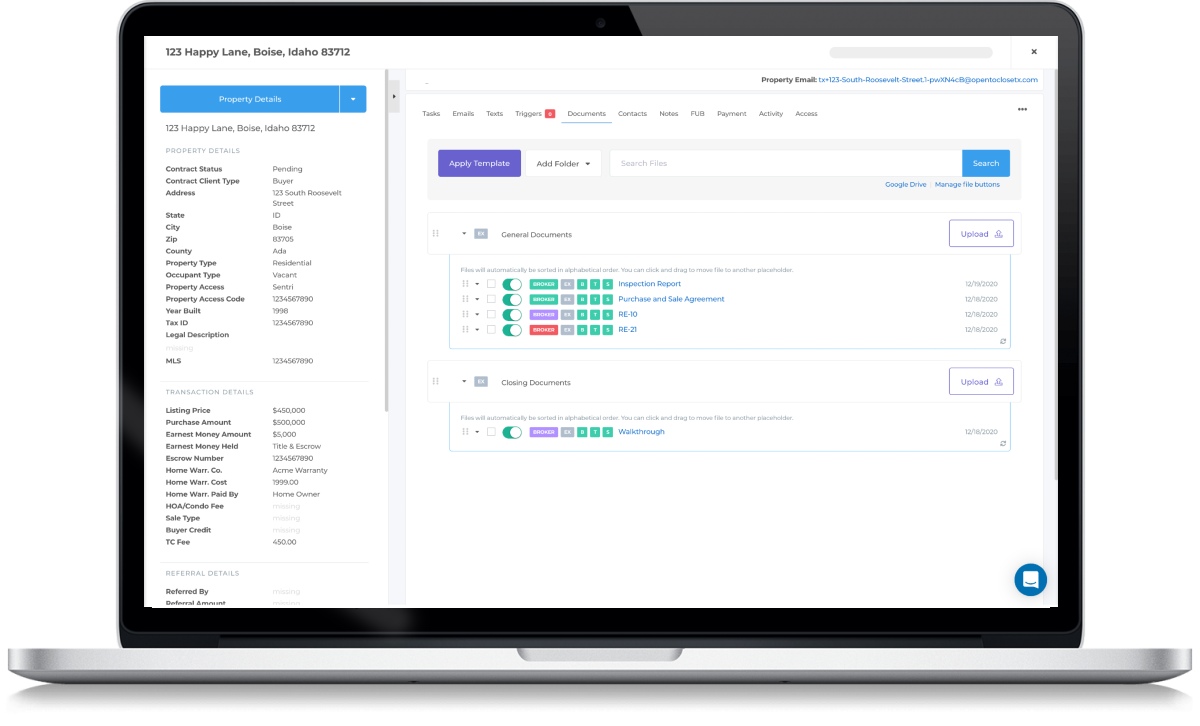
Key Strengths:
- Professional-grade workflow management
- Advanced automation and compliance features
- Highly configurable integrations
- Strong audit and regulatory tools
- DocuSign integration on all plans
Considerations:
- Steep learning curve for many TCs
- Gets expensive with multiple users
Best For: Professional TC teams needing enterprise-level customization Pricing: Grow plan starts at $99/month (1 user included). Additional users cost $69/user/month. Pro plan at $199/mo and Scale at $399/mo unlock more automation. 30-day free trial.
3. tcDocs – Purpose-Built by TCs for TCs
TC-Specific Advantages:
- Pre-built email templates for every scenario
- Automated reminders and deadline tracking
- Simple status monitoring
- Quick 3–5 day setup
- Unlimited transactions on all plans
Limitations:
- Fewer integrations than larger platforms
- Basic CRM compared to AFrame
- Limited advanced automation
- No AI contract extraction
Best For: Solo TCs and small teams wanting ease of use without high costs Pricing: Solo plan at $70/month (1 login). Team plan covers 2–10 logins for $85/month total — as low as $8.50/user for a full team. 14-day free trial. Note: prices increased from $59/$69 in 2024.
Tier 2: AI-Powered Innovation
4. DocJacket – AI Contract Extraction and Timeline Builder
What DocJacket Does Well:
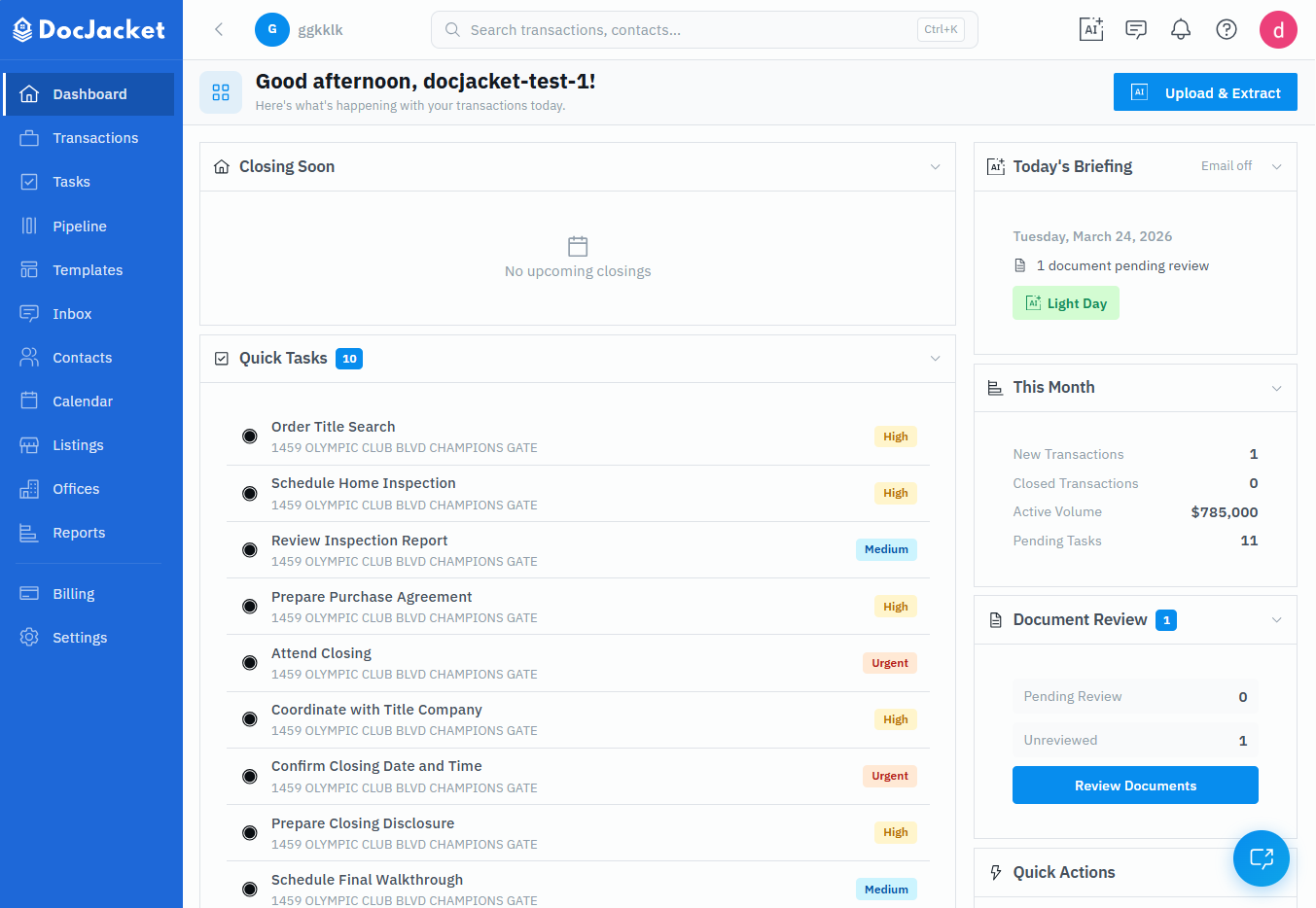
- Contract Extraction: Upload a contract and AI extracts buyer/seller names, dates, sale price, and contingencies automatically
- Automatic Timelines: Milestones and reminders are built from extracted dates — no re-typing
- Milestone Reminders: Scheduled notifications keep deadlines visible before they arrive
- Client Portal: Branded transaction view for agents and clients
- Works With Any State: No MLS dependency — works with whatever contracts you upload
What Makes It Different:
DocJacket focuses on eliminating the setup time that eats into every new transaction. Instead of manually entering contract data, the AI reads the document and prepares the timeline for your review. You approve and coordinate — the prep is handled.
Considerations:
- Newer platform — smaller user base than established competitors
- Best suited for TCs who want AI-driven setup rather than a full CRM
Best For: TCs tired of re-typing contract data who want faster transaction setup Pricing: $29/user/month early-customer pricing (locks in for life; regular price $49/user/month). Free tier available with 2 active transactions and AI extraction included.
Learn more about how AI contract review works and how it compares to manual data entry.
5. Nekst – Practitioner-Built AI Platform
Key Strengths:
- Founder-Market Fit: Built by active real estate agent Brett Keppler, tested in his own brokerage
- Proven Scale: 92,000+ transactions processed
- AI Contract Processing: Transaction setup from contract upload
- TinySeed Backed: $150K investment validates the market and model
Considerations:
- Pricing increased significantly from 2024 levels — Solo Pro now runs ~$66/month plus a $299 onboarding fee
- Team Pro at ~$166/month plus $399 onboarding fee
- Many review sites still show old $29/month pricing — verify directly on nekst.com
- AI currently focused on contract upload — doesn’t extend to ongoing communication monitoring
Best For: Agents and TCs who want a battle-tested AI platform with a large existing user base Pricing: Free tier (5 lifetime transactions). Solo Pro at $790/year (~$66/mo) + $299 onboarding. Team Pro at $1,990/year (~$166/mo) + $399 onboarding. Additional team seats at $19–$49/mo.
6. ListedKit – Pay-Per-Transaction AI
What Changed: ListedKit has pivoted from its previous $49/month subscription to a pay-per-transaction model. Each contract intake costs $14.99 (one credit, as of May 2026), with no monthly fees and unlimited team members.
AI Capabilities:
- Contract data extraction
- Auto-fills extracted contract data into your documents during intake
- Smart checklists and deadline calculation
- Email drafting for your review and document review
- First transaction free, no credit card required
Considerations:
- Cost scales linearly with volume — 30 transactions/month = ~$450/month
- Bulk credit tiers: 5/$69.99, 10/$129.99, 25/$299.99, 40/$549.99 (up to ~27% off)
- Good for low or variable volume; gets expensive at high volume
Best For: TCs with variable transaction volume who don’t want a fixed monthly cost Pricing: $14.99 per transaction. First transaction free. Bulk credit tiers available (up to ~27% off).
Tier 3: Agent Platforms Adapted for TCs
7. Dotloop & SkySlope – “Because That’s What My Agents Use”
Many TCs adapt these platforms because their brokerages already subscribe.
- Dotloop: Document collaboration, 190+ MLS integrations, eSigning, mobile app
- SkySlope: Audit trails, enterprise features, 900,000+ users
“My agents use Dotloop… I also have a Google spreadsheet where I enter all my pending transactions.”
Best For: TCs whose agents mandate platform use
Dotloop Pricing: Free plan (10 lifetime transactions). Premium at $34.99/month or $29/month billed annually. Teams/Business+ requires custom pricing. Note: recently increased from $31.99/month.
SkySlope Pricing: Not publicly disclosed — requires sales contact. Capterra lists ~$250/month starting price. Expect $500+ setup/training fees and annual contracts.
Tier 4: Budget and Basic Solutions
8. Excel Spreadsheets & Budget Alternatives

Many TCs start with free spreadsheets:
- When to use: Under 5–10 transactions/month; testing business model
- When to upgrade: Above 15–20 transactions/month, manual tracking breaks down
Folio by Amitree: Free Basic plan (2 concurrent transactions). Pro at $29/month billed annually ($45/month monthly). 14-day free trial. Good for basic tracking but lacks TC-specific workflow features.
Paperless Pipeline: Starts at $65/month for 5 new transactions/month with unlimited users. Scales to $675/month for 450 transactions. No per-user fees, no setup fees, no annual contracts. 14-day free trial.
Real TC Pain Points: What the Software Must Solve
-
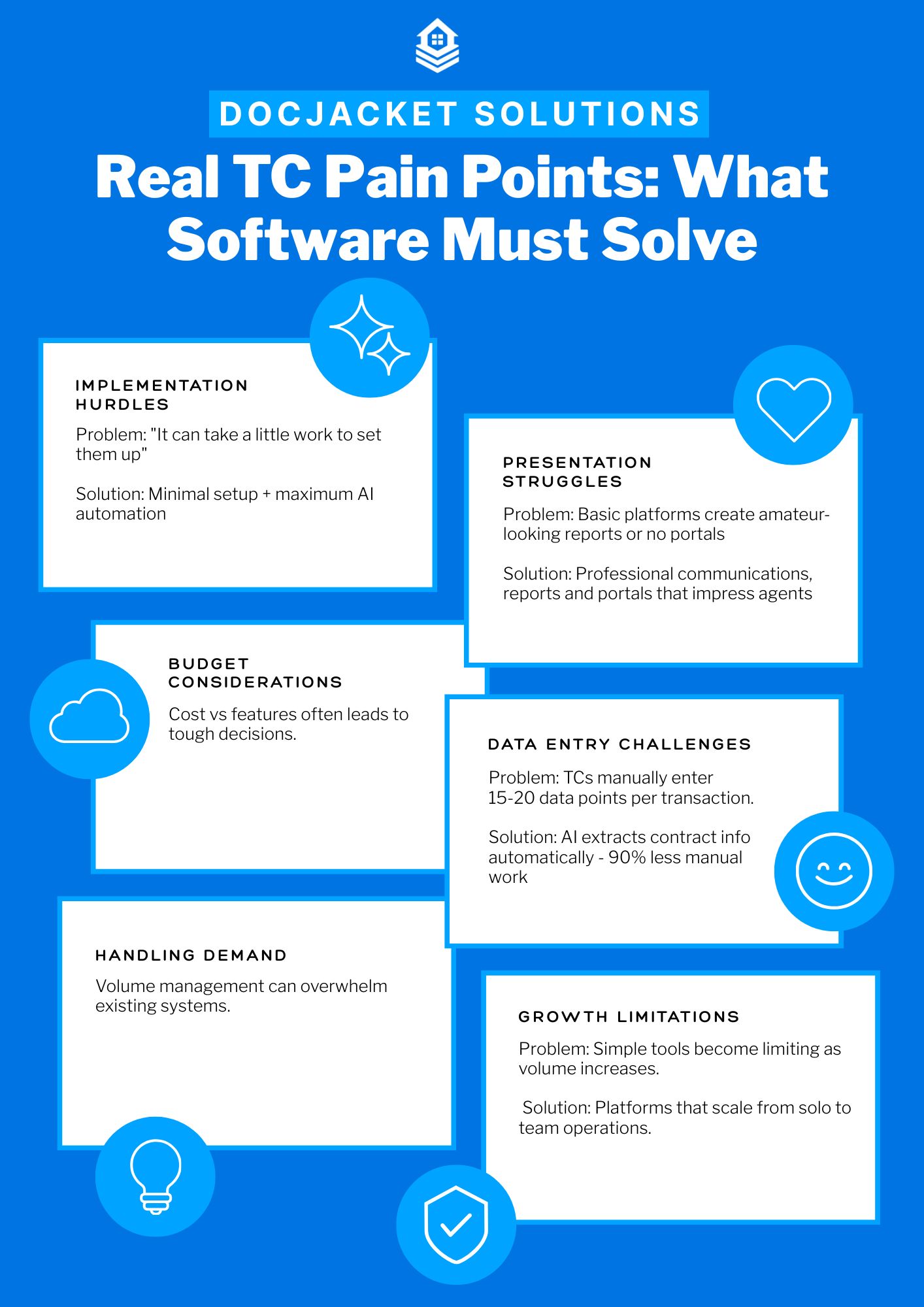
Manual Data Entry Elimination — Re-typing contract details into your system is the biggest time sink. AI platforms like DocJacket, Nekst, and ListedKit address this directly.
-
Deadline Visibility — Missing a contingency deadline or inspection window isn’t just inconvenient — it can kill a deal. Automated timelines and reminders are table stakes.
-
Cost vs. Features Balance — TCs are often solo operators or small teams. Paying $100+/month for features you don’t use hurts.
-
Setup Complexity vs. Power — The more powerful the platform, the longer the setup. AI platforms are closing this gap by reducing setup to minutes instead of days.
-
Scalability Without Complexity — Going from 10 to 30 transactions/month shouldn’t require switching platforms or hiring help.
Essential Features Comparison
Contract Data Extraction
- DocJacket, Nekst & ListedKit: AI reads the contract and pulls key data automatically
- AFrame/OTC: Manual entry with workflow templates
- tcDocs: Manual entry with status tracking
- Dotloop/SkySlope: Manual data entry
Automated Timelines & Reminders
- DocJacket: Milestones built automatically from extracted dates
- Nekst: Task templates with relative scheduling
- AFrame/OTC: Conditional logic workflows
- tcDocs: Practical reminders
- ListedKit: Smart checklists with deadline calculation
Client/Agent Portals
- DocJacket: Branded transaction portal
- AFrame: Status portal
- Nekst: Client portal (no login required)
- Folio: Branded timelines on Pro plan
- Traditional: Static document sharing
Pricing Comparison Table
| Platform | Model | Solo Cost | 5-User Cost (est.) | AI Extraction | Free Tier |
|---|---|---|---|---|---|
| DocJacket | Per user | $29/user/mo (early bird) | ~$145/mo | Yes | 2 active txns |
| Folio | Per user | $29/mo (annual) | ~$98/mo (annual) | Limited | 2 txns ongoing |
| Dotloop | Per user | $34.99/mo | ~$175/mo | No | 10 lifetime txns |
| AFrame | Per user | $54/mo | $270/mo | No | No (30-day trial) |
| tcDocs | Flat team | $70/mo (solo) | $85/mo (team) | No | No (14-day trial) |
| Paperless Pipeline | Per txn volume | $65/mo (5 txns) | $65/mo (unlimited users) | No | No (14-day trial) |
| ListedKit | Per transaction | $14.99/txn | $14.99/txn (unlimited users) | Yes | 1 free txn |
| OTC | Tiered + per user | $99/mo (1 user) | $375/mo | No | No (30-day trial) |
| Nekst | Subscription + setup | ~$66/mo + $299 setup | ~$225/mo + $399 setup | Yes | 5 lifetime txns |
| SkySlope | Custom (not public) | ~$250/mo | ~$275+/mo | No | No |
Pricing verified March 2026; ListedKit per-transaction pricing updated to $14.99 (May 2026), figures provided by ListedKit. Nekst, tcDocs, and Dotloop all increased prices since 2024. Always confirm directly on vendor websites.
Choosing the Right Platform
- New TCs (<15 tx/mo): Start with DocJacket’s free tier, ListedKit’s per-transaction model, or tcDocs — low cost, low complexity
- Growing Businesses (15–30 tx/mo): DocJacket or AFrame depending on whether you prioritize AI setup speed or CRM depth
- Established Ops (30+ tx/mo): Open to Close for enterprise needs, or an AI platform paired with your existing tools
- Agent-Mandated Platform: Use Dotloop/SkySlope as required, supplement with a TC-specific tool for your own workflow
- Best Team Value: tcDocs at $85/month for up to 10 users is hard to beat on price
- Variable Volume: ListedKit’s pay-per-transaction model — you only pay when you close
- AI-First: DocJacket, Nekst, or ListedKit — each takes a different approach to automation
For further guidance, see how to become a certified TC and our top TC courses.
Frequently Asked Questions
What is the best transaction coordinator software for independent TCs in 2026?
For independent TCs, the choice usually comes down to DocJacket, ListedKit, and Open to Close. DocJacket leads on AI contract extraction and per-seat pricing with unlimited transactions; ListedKit is strong on a pay-per-intake model; Open to Close is a solid mid-market choice if your operation already has team structure. Avoid agent-first tools like Dotloop unless your broker requires it — they’re built for a different buyer.
Is there free transaction coordinator software?
Not really — the “free” options are spreadsheets (Google Sheets, Excel) and pieced-together free tiers of generic tools (Trello, Asana). They work at very low volume but break down past 3–5 active transactions because you’re rebuilding workflow infrastructure that purpose-built TC software ships with. DocJacket has a free tier (2 transactions) so you can test the workflow without committing.
What’s the difference between transaction coordinator software and transaction management software?
The software overlaps heavily. The difference is who the buyer is. Transaction coordinator software (DocJacket, ListedKit, Open to Close) is sold to the person actually closing the deal. Transaction management software (Dotloop, SkySlope, Paperless Pipeline) is sold to brokerages tracking many transactions across many agents. If you’re comparing brokerage-tier platforms, see our real estate transaction management software buyer’s guide instead.
Can transaction coordinator software replace a transaction coordinator?
No. It can replace some of what a TC does — checklists, reminders, document chasing, status emails. It can’t replace judgement: knowing when an addendum is needed, catching a missing disclosure, calling the lender at 7pm to unstick a closing. Good TC software makes a coordinator faster; it doesn’t make one unnecessary.
How much does transaction coordinator software cost?
Pricing varies widely by model. DocJacket is $29 per coordinator seat per month (early-bird for the first 100 customers; $49 regular) with unlimited transactions, agents, and clients. ListedKit charges $14.99 per contract intake (no monthly fee). Open to Close runs $99–$399/mo on tier-based plans. Paperless Pipeline uses per-transaction tiers from $65/mo. The math worth running: transactions per month × seats needed, and what your bill looks like at volume.
Conclusion: AI Is Changing How TCs Work
The best transaction coordinator software in 2026 isn’t just about checklists and document storage anymore. AI-powered platforms are eliminating the manual data entry that has defined TC workflows for years. Traditional leaders like AFrame and Open to Close still serve core needs well, but if you’re spending 30+ minutes setting up every new transaction by hand, it’s worth trying an AI platform to see the difference.
The market is also shifting on pricing. Nekst more than doubled its rates since 2024. ListedKit moved to pay-per-transaction. tcDocs and Dotloop both raised prices. If you’re evaluating options, check pricing pages directly — many comparison articles still show outdated numbers.
Test a few, see what fits your workflow, and choose the tool that actually saves you time — not the one with the longest feature list.