
Every transaction management platform has added “AI-powered” to their marketing page this year. It’s the new checkbox. The new table stakes. The thing you slap on a landing page between “cloud-based” and “mobile-friendly” because if you don’t, you look like you’re behind.
But here’s what none of them are telling you: most AI in real estate software doesn’t save you time. It just changes the shape of the work.
The Three Kinds of AI
There are three ways to put AI in a product. Two of them are wrong for real estate.
The first: AI generates, you figure it out. The AI reads a contract and produces a wall of text. Extracted terms, flagged clauses, suggested dates — all dumped into a screen for you to review, interpret, cross-reference, and manually enter into your workflow. It looks impressive in a demo. It feels like more work on a Tuesday morning with 20 active files.
This is AI that creates a new task for you. You still have to read everything it produced. You still have to decide what’s right and what’s wrong. You still have to take the output and do something with it — copy it somewhere, type it into a field, update a date, send an email. The AI did some thinking. You’re still doing all the doing.
The second: autonomous AI. The AI reads the contract, extracts the dates, populates your timeline, sends the emails, and moves on to the next file. No review. No approval. No human in the loop. It just acts.
This sounds efficient until you think about what’s at stake. These are legal documents. Contractual deadlines. Real money. A wrong closing date that gets sent to a title company isn’t a typo — it’s a problem. A contingency deadline that’s off by one day isn’t a rounding error — it’s a blown deal. An email sent to the wrong agent with the wrong terms isn’t embarrassing — it’s a liability.
Autonomous AI works great for sorting your inbox or suggesting a playlist. It has no business making unchecked decisions on a $400,000 real estate transaction. Not because the AI isn’t smart enough. Because the stakes don’t allow for “usually right.”
The third: AI preps, you approve. The AI reads the contract, extracts the dates, populates your timeline, drafts the communications, and sets up the workflow. Then it stops. It shows you what it did. You review it. You approve it, adjust it, or reject it. Then you move on.
This is the only approach that respects both your time and the stakes of your work. The AI does the heavy lifting. You keep final say. Nothing goes out, nothing gets set, nothing moves forward without your sign-off.
The difference between these three isn’t technical. It’s philosophical. The first treats AI as a research assistant that hands you a report. The second treats AI as an unsupervised employee you hope doesn’t make a mistake. The third treats AI as a junior coordinator that does the setup and waits for your sign-off.
One adds a step. One removes the human. One removes ten steps while keeping the human in control.
Why “AI-Powered” Means Nothing
The problem with “AI-powered” as a feature is that it doesn’t tell you anything about who’s doing the work.
A platform can be AI-powered and still require you to manually enter every deadline after the AI “extracts” them into a summary view. A platform can be AI-powered and still make you copy and paste suggested email text into your email client. A platform can be AI-powered and still leave you staring at a screen full of data wondering what to do next.
That’s not automation. That’s a fancier clipboard.
The question isn’t whether your software uses AI. The question is: after the AI runs, how many clicks does it take before you can move to the next file?
If the answer is more than a few, the AI isn’t working for you. You’re working for it.
The ChatGPT Costume
There’s a fourth thing happening in the industry that’s even lazier than the clipboard approach: platforms bolting a ChatGPT chat bubble onto their product and calling it AI.
You’ve seen it. A little chat icon in the corner. You click it. You can “ask questions about your transactions.” It feels like talking to a customer support bot that read a real estate FAQ once.
That’s not AI integration. That’s a wrapper.
A generic chatbot doesn’t know what’s in your contracts. It doesn’t know which deadlines are coming up this week. It doesn’t know that the Smith transaction is waiting on a title commitment or that the buyer’s agent on the Johnson deal hasn’t responded in four days. It doesn’t know anything about your work. It just knows about real estate in general.
The difference between a chatbot and a context engine is the difference between asking a stranger for directions and asking someone who lives in the neighborhood.
A context engine reads your actual contracts. It understands your transaction timeline. It knows the parties, the dates, the document status, the workflow stage. When it drafts an email, it knows who it’s going to, what deal it’s about, and what needs to happen next. When it flags a risk, it’s reading the actual language in the actual contract — not generating a generic warning.
Context is what makes AI useful. Without it, you have a chatbot. With it, you have a junior coordinator who’s already read every file on your desk.
Most platforms skip the context engine because it’s hard to build. It’s easier to drop in an API key to ChatGPT and ship a chat bubble. The demo looks the same. The experience couldn’t be more different.
What “AI Preps, You Approve” Actually Looks Like
Here’s a real scenario. You upload a purchase agreement to DocJacket.
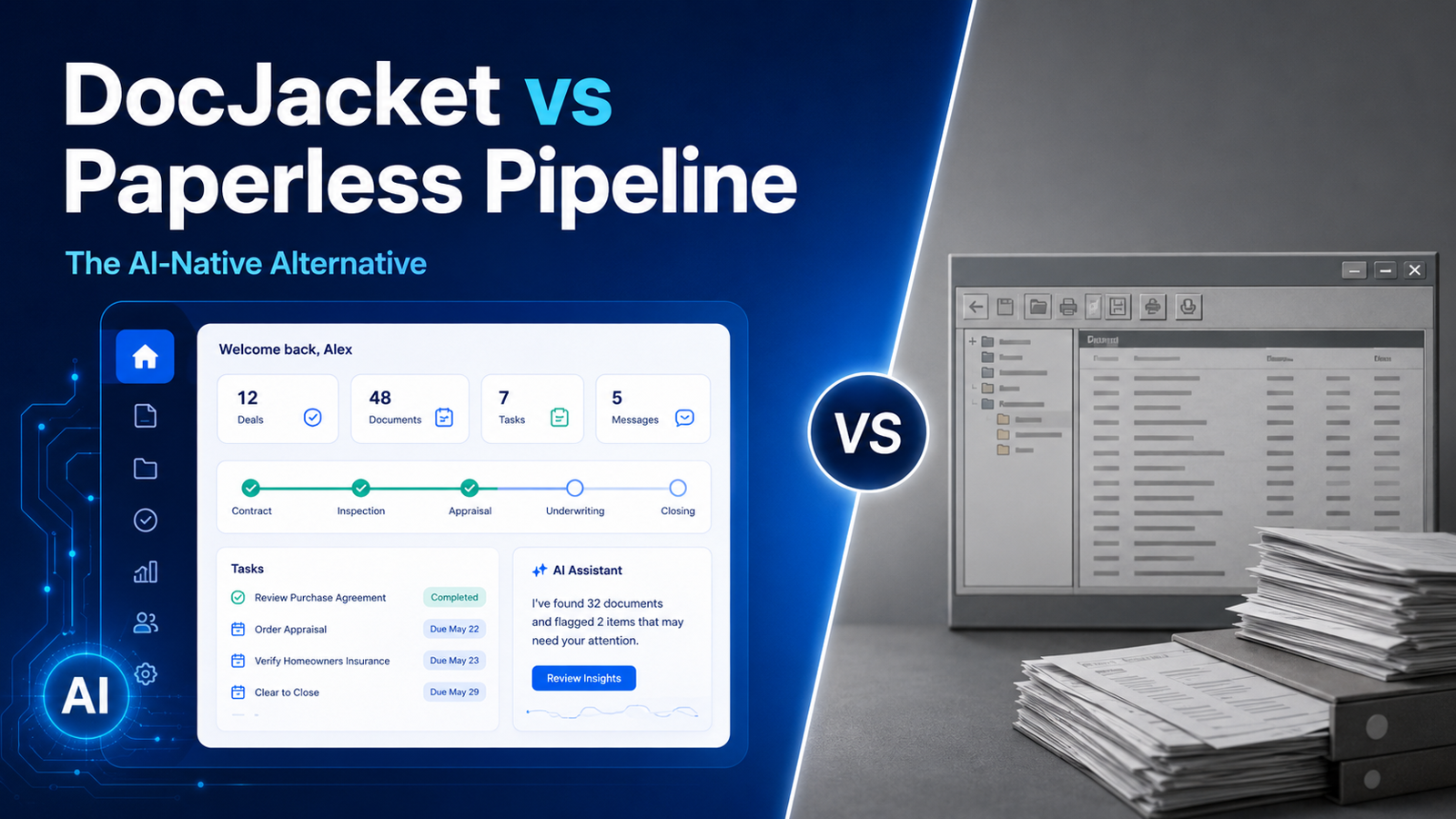
The AI reads the contract. It extracts the buyer, seller, property address, purchase price, earnest money amount, closing date, inspection deadline, appraisal contingency, financing contingency, and every other date buried in the document.
It doesn’t hand you a list and say “here’s what I found — good luck.”
It populates your transaction timeline. It sets the deadlines. It drafts the intro email to the listing agent. It flags anything that looks unusual — a contingency period that’s shorter than standard, a closing date that falls on a weekend, an earnest money amount that doesn’t match the percentage you typically see.
Then it waits.
You open the transaction. You see everything laid out. You scan the timeline — looks right. You check the drafted email — tweak one sentence. You glance at the flags — the short contingency period is intentional, you already knew about it. You approve.
Total time: two minutes. Without AI, that setup takes twenty. With bad AI, it takes fifteen because you’re still doing half the work manually after reading through the AI’s output.
Two minutes versus twenty. Multiply that across 25 active files. That’s the difference between working until 6 PM and working until 10 PM.
The Trust Problem
The reason most AI in real estate software takes the “generate and dump” approach is because the builders don’t trust their own AI enough to let it act.
And honestly, that’s fair. If your AI isn’t accurate enough to populate a timeline directly, you shouldn’t let it. Showing a summary and making the user do the data entry is the safe play. It’s the “we added AI but we’re not confident enough to let it touch your actual workflow” play.
But safe isn’t useful. Safe is just a smarter version of the same manual work.
“AI preps, you approve” requires a higher bar. The AI has to be good enough that when it populates your timeline, the dates are right 95% of the time. The drafted email has to be good enough that you’re tweaking a sentence, not rewriting the whole thing. The flags have to be accurate enough that you trust them.
That’s a harder product to build. It’s also the only one worth using.
If I’m going to review everything the AI produces anyway, it better have done the actual work — not just the analysis. I don’t need a book report on my contract. I need my transaction set up and ready to manage.
The Operator’s Time Is the Constraint
This comes back to who you’re building for.
If you’re building for a mega-brokerage, AI that generates reports and summaries makes sense. The managing broker wants visibility. They want dashboards. They want to see what the AI found across 500 transactions. The AI’s job is to inform the person at the top.
If you’re building for the independent operator — the TC running 25 files, the solo agent managing their own deals, the boutique broker who is the operations department — AI needs to do actual work. Not summarize. Not suggest. Do.
The operator’s constraint isn’t information. They don’t need more data. They don’t need a smarter summary. They need fewer tasks on their plate. They need the setup done, the emails drafted, the deadlines entered, the follow-ups scheduled — and they need to review and approve it in minutes, not hours.
“AI preps, you approve” is a philosophy about respecting the operator’s time. Every minute spent reviewing AI output that you then have to manually act on is a minute the AI wasted. The AI’s job is to do the work. Your job is to make sure it did it right.
That’s the line. Everything on one side is AI as a marketing checkbox. Everything on the other side is AI that actually changes how you work.
The Question to Ask Every “AI-Powered” Platform
Next time you see “AI-powered” on a real estate platform’s website, ask one question:
After the AI runs, what do I still have to do manually?
If the answer is “review a summary and then enter the data yourself” — that’s a clipboard with a brain. If the answer is “nothing, it already acted” — that’s a liability waiting to happen. If the answer is “review what the AI set up and approve it” — that’s a tool that respects your time and your transactions.
DocJacket is built on the second answer. AI preps. You approve. You keep your independence and lose the busy work.
DocJacket is AI transaction coordinator software for independent real estate professionals. Start free.